
Pricing

Voice dictation

Speak your mind.

Dictate a reply in Greek or draft an email in English. Record a meeting and get a transcript you can share.

Watch Penlark in action
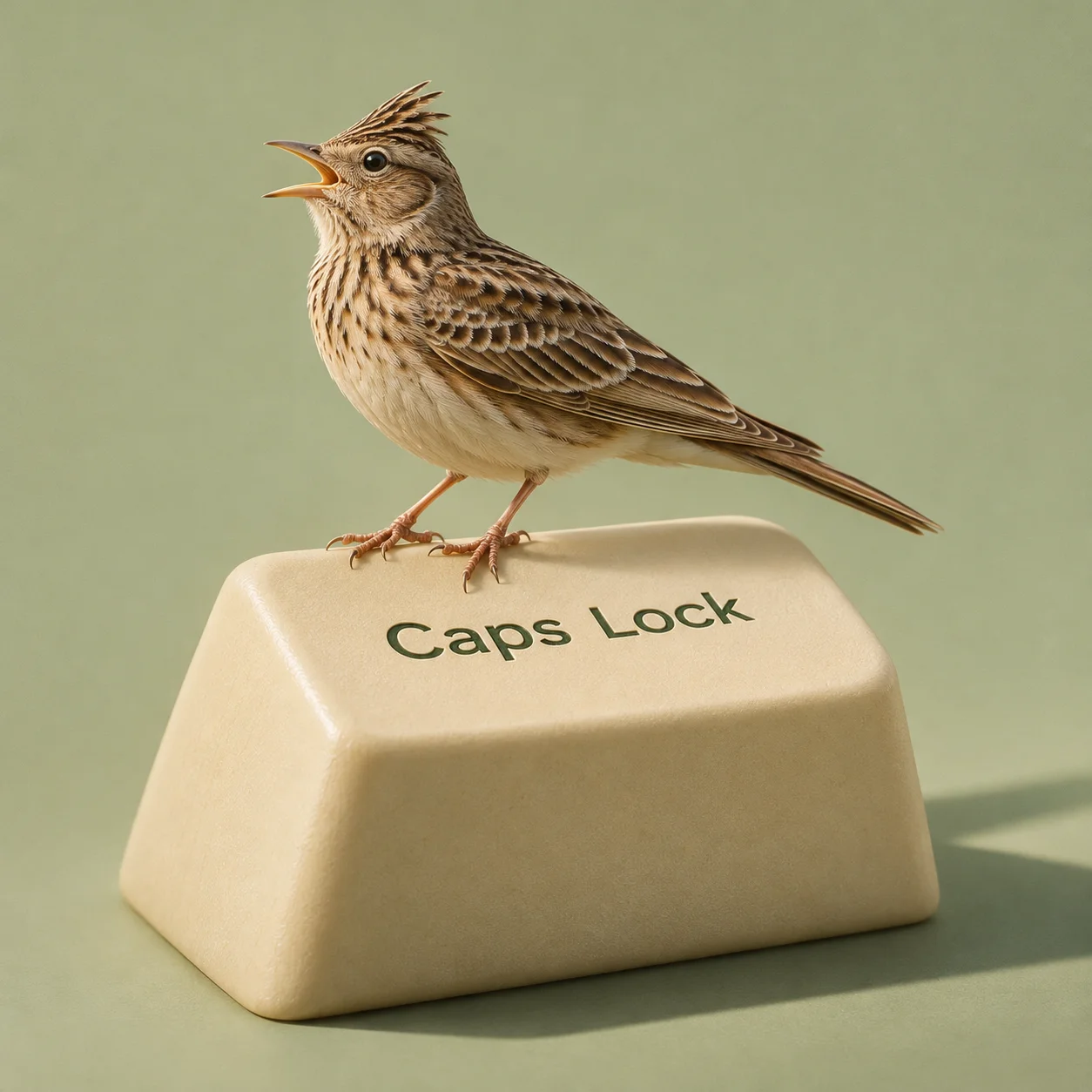
A singing skylark perched on a cream Caps Lock key.

Interactive demo

From voice
to words.

Watch an email take shape at the desk, then a reply on the phone. Turn on sound to hear the selected example.

Desktop Hold Caps Lock and say “Friday at ten works for me.” Release the key to insert the sentence in your email.

Mobile With the Penlark keyboard active, tap the floating mic and say “Ten works for me.” Tap stop to insert the reply.

Platforms

At your desk.
On the move.

Use the same account on either device. Search your recent dictations to reuse a line in a follow-up, or delete an entry when you’re done.

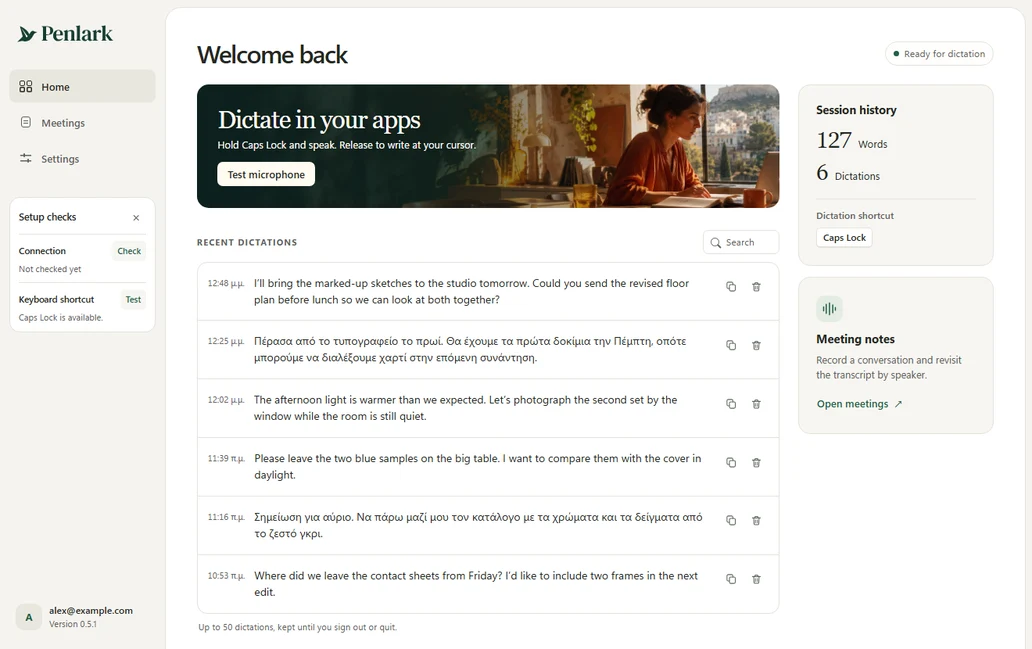
Penlark on Windows with a shortcut panel and a searchable list of recent dictations.

Windows

Hold Caps Lock and speak. Release to write at your cursor. To revise an email, select “Thursday” and say “Friday at ten” in its place. A quick tap switches keyboard languages.

Your last 50 dictations stay in this session until you quit or sign out.

Download the Windows installer
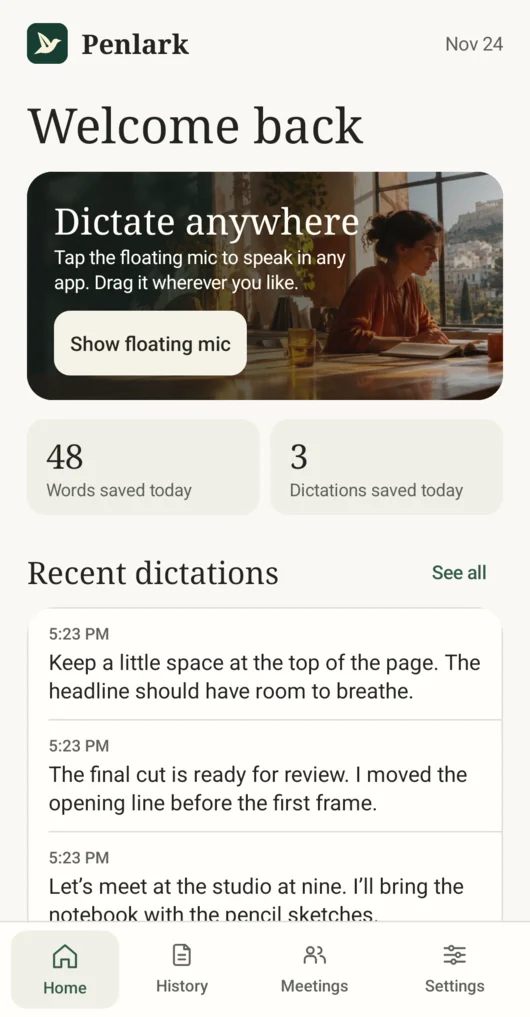

Penlark on Android showing daily word counts, the floating mic control and recent dictations.

Android

Tap where you want to write or select a word to replace. Tap the floating mic, speak, then tap stop. On Android 13 and later you can keep your usual keyboard after enabling cursor insertion. On earlier versions, use the Penlark keyboard.

Keep up to 100 dictations encrypted on your phone, or pause saving in Settings.

Download the Android APK

Mac

The desktop app is in development for Apple silicon and Intel Macs. A public Mac installer has yet to ship.

iOS

There’s no iPhone app yet. You can watch the walkthroughs in Safari today.

Watch the demo

Meeting transcripts

Return to what was said.

With everyone’s consent, include the sound from a call on Windows, or keep Penlark open on Android to record the room. Add your own notes and export the transcript as a text file.

Sample meeting transcript
Speaker 1
Can we move the shoot to Friday?
Speaker 2
Friday at ten works. I’ll book the studio.

Pricing

Free to start.

Try up to two minutes of transcription each day while the shared free allowance lasts. Use the same account on Windows and Android.

Create a free account

Penlark Pro

Up to 600 minutes of dictation and meeting transcription per calendar month across your devices, subject to the shared Pro allowance.

Choose a plan to check availability. You can sign in or create an account before paying through Stripe.